




Get More Done With the
Team and Tools you have

Stop juggling tools.
Let AI assist the work Between Them.

Most teams already use AI, but productivity still leaks through the gaps. Employees search across systems, copy information between tools, and repeat the same requests just to move work forward. Copilot connects your business tools and knowledge in one place and delivers company-approved Assistants that prepare answers, drafts, summaries, and next steps so work moves faster while people stay accountable through review and approvals.

Save hours every week

Assistants pull the right context from connected systems and documents automatically. No manual searching or copy-paste.

Get Consistent Results across teams

Company-approved Assistants standardize outcomes so quality doesn’t depend on who’s asking.

Move work forward
in Minutes

Assistants produce ready-to-use outputs - drafts, summaries, updates, and next steps - so execution doesn’t stall.

Stay in control and accountable

Built-in review and approval ensures decisions stay with people while AI accelerates the preparation work.

What is an AI Assistant?

A Logiks AI Assistant is a purpose‑built helper for a specific job.
It combines the right system access + a company‑approved prompt playbook + guardrails and approvals so the outcome is consistent across the whole team.

Outcome-based

Built for a specific purpose (e.g., prepare an update, answer a policy question, draft a report, summarize an exception list).

Context‑aware

Pulls the needed details from your connected tools and documents automatically. No copy/paste.

Works with what you already have

Supports your stack and can hand off deterministic steps to existing tooling instead of trying to “replace” it.

Start with What You Need

Start with one Assistant and one real workflow where time is being lost today. Connect the sources it needs, deploy it through Copilot, and prove value quickly. Then expand the assistant catalog across teams as you standardize what “good” looks like without training everyone to become a prompt expert.

Copilot

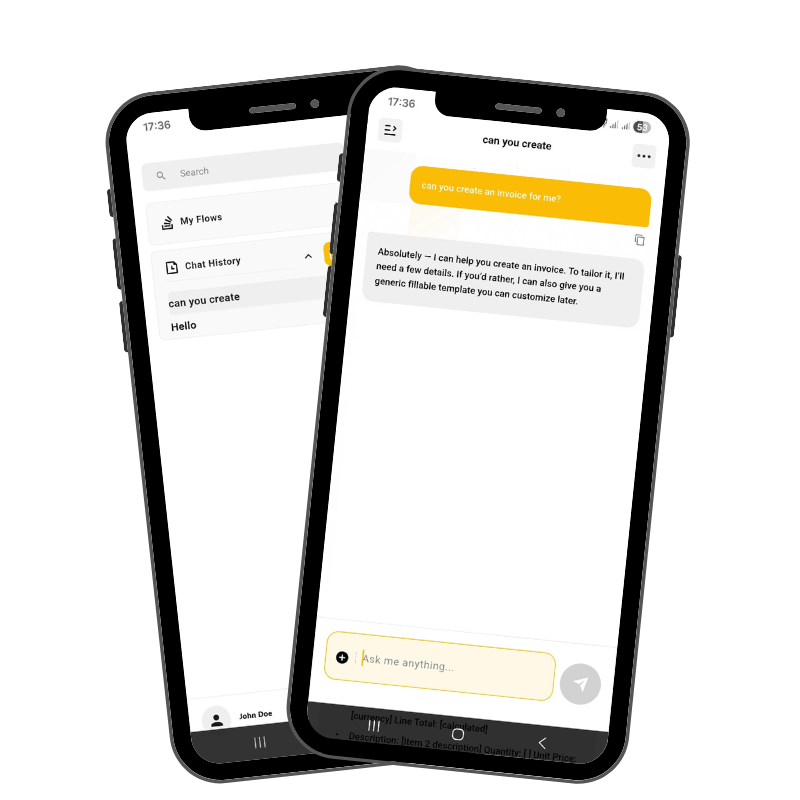
The place employees call Assistants and get work moving

Logiks Copilot is where employees request outcomes from Assistants and get consistent results without switching tools, chasing people, or reinventing prompts. It also provides the control layer: permissions, visibility, and approval points so AI increases productivity while humans remain accountable.

What It Brings:

  • One place to request outcomes (answers, drafts, summaries, next steps)
  • Consistent results across teams through approved Assistant playbooks
  • Built‑in review and approval so people stay responsible for decisions

Logiks Ingestion Service (RAG)

Reduce searching and prevent hallucinations

The Ingestion Service turns internal documents and knowledge into usable context for Assistants. This cuts time lost hunting through folders and helps outputs stay grounded in how your business actually works reducing mistakes, rework, and decision delays.

What it brings:

  • Less time spent searching across drives, knowledge bases, and shared folders
  • More reliable outputs grounded in internal sources
  • Fewer repeat questions and interruptions to key team members
  • Ready for production as usage scales across teams

3rd-Party App Connections

Stop copy‑pasting between tools and reduce avoidable errors

Connecting ERP/CRM/WMS/databases makes Assistants useful in real work - because they can pull the right facts automatically instead of relying on what someone pasted into a chat. That means faster responses, fewer mistakes from stale information, and less manual coordination between teams.

What it brings:

  • Fewer delays because context is pulled automatically, not requested manually
  • Fewer errors and rework caused by stale or inconsistent data
  • Faster handoffs because teams work from the same source of truth

Integrations & Setup

We deliver working Assistants, not just a toolkit

When deeper setup is required, Logiks builds Assistants for your workflows: connecting systems, defining scopes, creating prompt playbooks, and setting approval points. You get a working “ride experience” for your priority use cases, then you can expand with your own Assistants over time.

What it brings:

  • Assistant delivery for your highest‑value workflows
  • Secure system integration (SAP B1, APIs, apps) aligned to your environment
  • Approval and governance setup matched to your policies
  • Hosting, DevOps, and ongoing improvements so the system stays reliable

Get AI Working in Real Workflows - Fast!

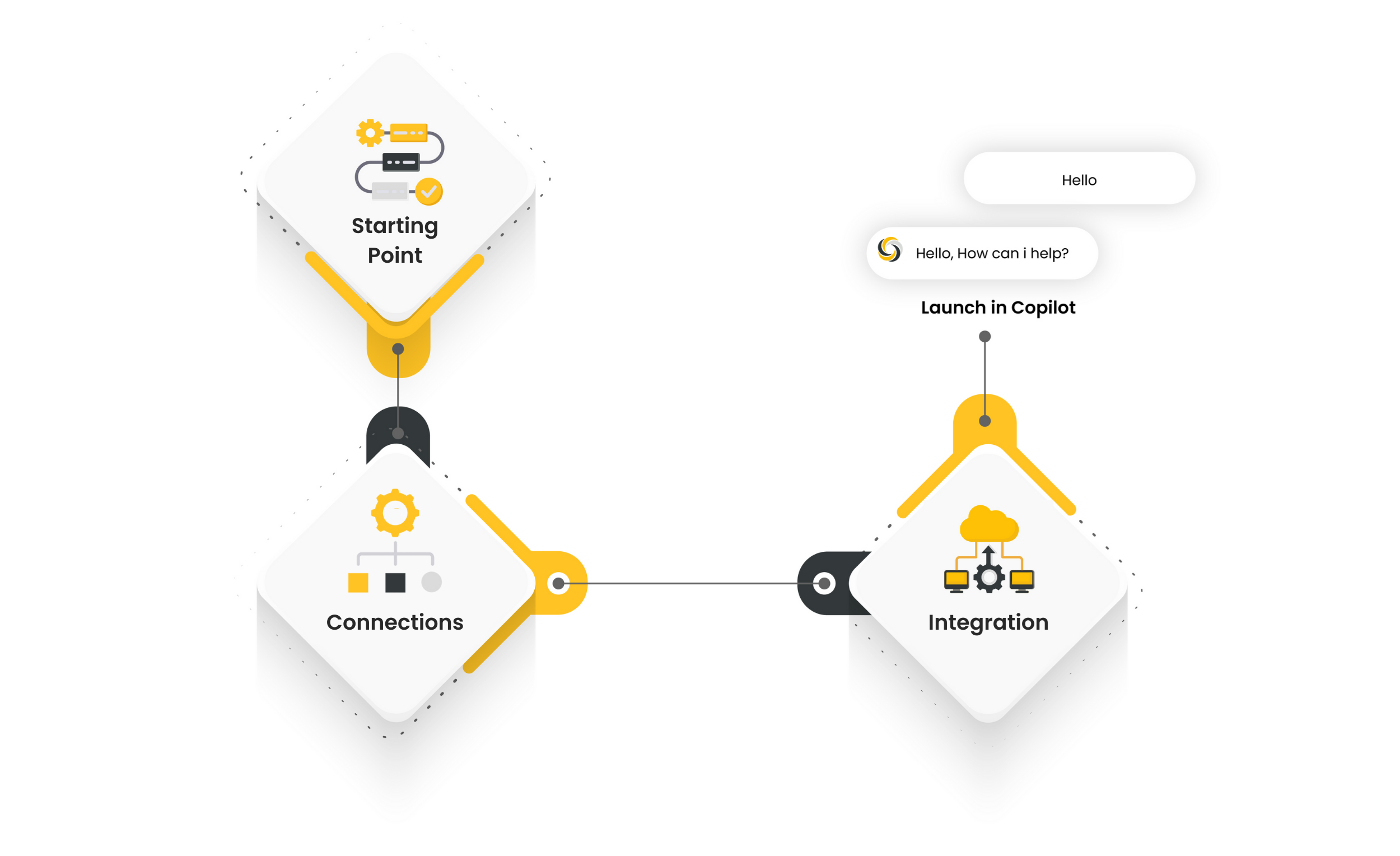
1. Choose your starting point

Pick one Assistant use case where time is being lost today - status updates, reporting, knowledge access, exceptions, internal requests.

2. Connect systems and data

Link your tools, documents, and workflows so Assistant can operate in real business context.

3. Deploy AI into workflows

Roll out the Assistant through Copilot with defined scope and approval points - AI prepares, humans approve.

4. Improve and scale over time

Turn what works into standard playbooks, expand the assistant catalog, and scale consistent outcomes across teams.

Infrastructure Layout

How the AI Is Used

No Model Training Required (Inference)

Logiks AI Suite lets you use AI through inference, meaning you can run tasks and workflows using existing models without training or modifying them. This makes it easy to apply AI in daily operations without added complexity.

Open Model Choice

You decide which LLMs (AI models) power your workflows and can change providers as your needs evolve. Logiks AI Suite is built to stay open and flexible, without locking you into a single vendor or ecosystem.

Key Benefits

Faster time to value
No vendor lock-in. Freedom to choose and switch LLMs.
Future-proof architecture

How is it Deployed

Cloud Hosting (Default)

By default, Logiks AI Suite runs in the cloud, hosted in Germany, ensuring GDPR-compliant data handling without the need for you to manage infrastructure.

On-Premise Option (Enterprise)

For organizations with stricter data or security requirements, Logiks AI Suite can run within your own systems or a private environment. Logiks can fully set up, operate, and maintain the system for you.

Key Benefits

Clear control over data location. sensitive business information stays where your policies require.
GDPR-compliant setup.
No internal AI operations team needed.

Why Choose Logiks?

Fast Time to Value

Start with ready Assistants or have Logiks build your first ones so you see productivity gains quickly without internal AI engineering.

Modular & Affordable

Start with one workflow, prove ROI, expand the catalog - no big‑bang rollout required.

No rip‑and‑replace

Connects to your existing stack (CRM, ERP, eComm, etc.). No need for deep and expensive overhaul.

Scalable Without Complexity

Standardize “how we ask” into Assistants and playbooks so outcomes are consistent across teams, not dependent on individual prompting skill.

Real Workflows. Real Results.

AI creates business value when it reduces delays in day‑to‑day execution. Logiks makes that practical: connect AI to the right context, standardize “how to ask,” and deliver Assistants employees can use safely at scale.

Operations Copilot

Give teams a single place to ask questions, trigger actions, and move work forward - without switching tools.

RAG Knowledge Assistant

Stop hunting through drives and folders. Get grounded answers and summaries based on internal knowledge so teams move faster with fewer mistakes.

Customer-Built Agents

Already building internally? Bring your Assistants into Copilot to standardize access, governance, and rollout so outcomes don’t depend on who writes the prompt.

Start Transforming your Processes!

Philipp Prestele

CEO & Founder

+ 49-89-2441545-23

philipp@logiks.solutions

Thank you!
Your submission has been received!
Oops! Something went wrong while submitting the form.

The most common questions

What Is Langflow?
How does this differ from iPaaS or RPA?
How does Langflow fit into the Logiks AI Suite?
How does the MCP Server work with AI workflows?
How is Logiks Copilot different from AI Agents?
Why does Logiks use Langflow?
Do we need developers?
What is the MCP Server?
What are AI Agents in the Logiks Platform?
How do all these components work together?